The 6 Best AI Storyboard Generators in 2026

AI storyboard generators help turn a script or concept into frames you can review before production. For character consistency, look for reusable character and location references; for agency work, also check comments, revisions and animatics. Boords, StoryboardHero, Krock.io, Elai.io, Storyboarder.ai and LTX Studio cover different parts of that workflow.
This guide is published by Boords. We checked the linked product documentation on 5 October 2026; the descriptions below compare documented workflows, rather than results from an image-quality benchmark.
1. Boords
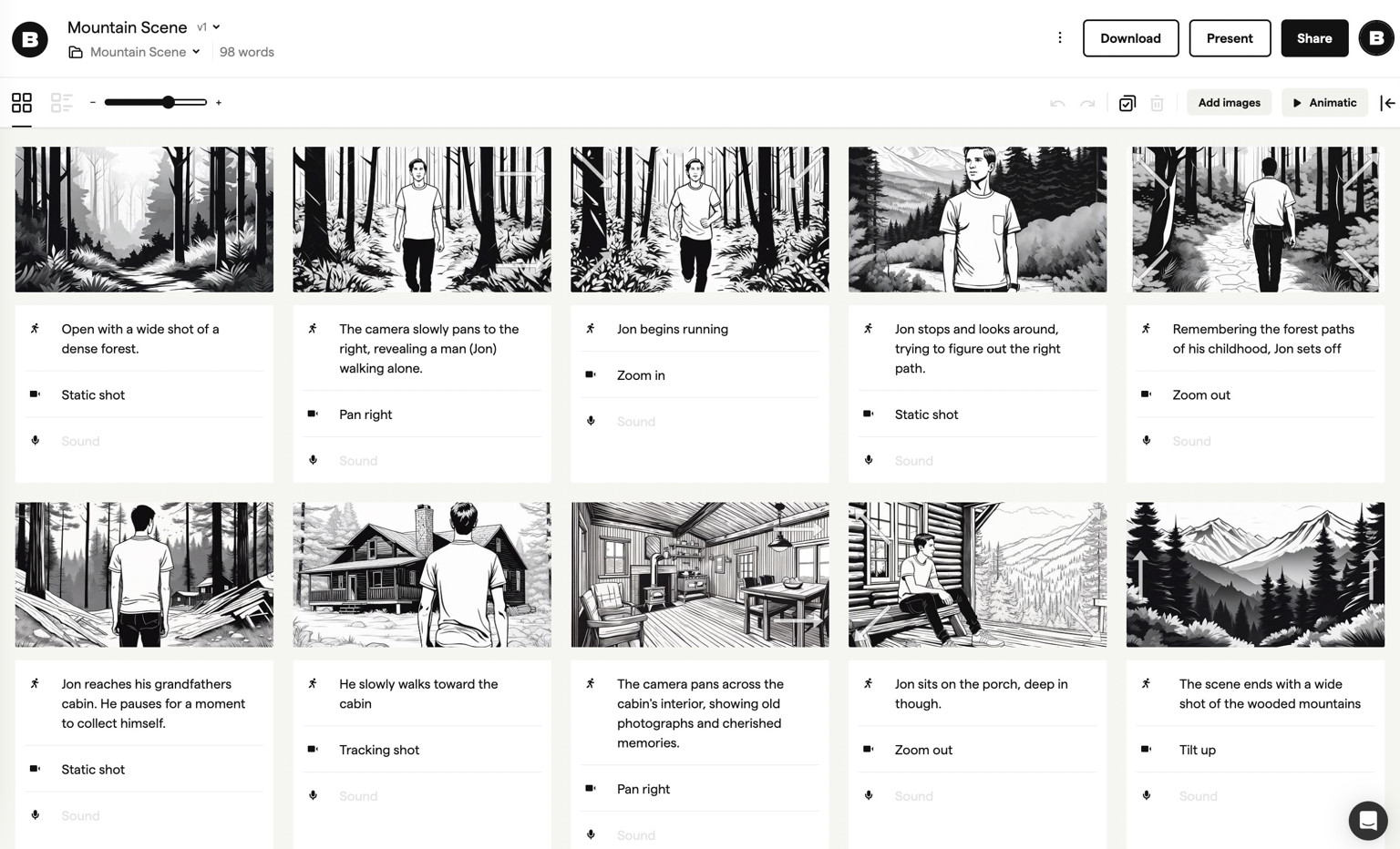
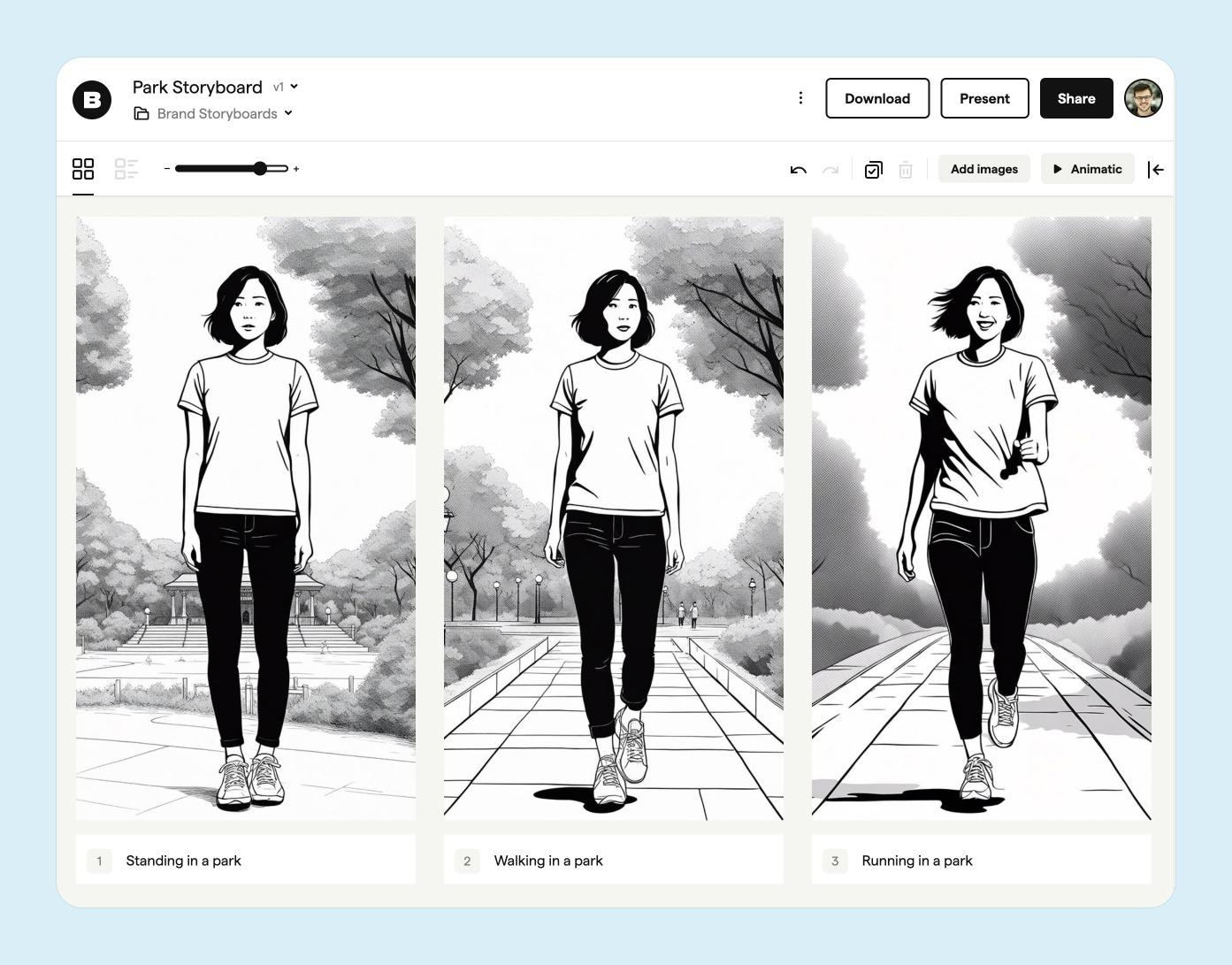
Boords combines AI frame generation with storyboards, animatics and client review. For character and location continuity, save your cast, settings and props in the Asset Library, then select them with @ in a prompt or attach them through the reference picker.
You can reuse uploaded images, generated assets or existing storyboard frames, with up to four content references in each frame generation. For example, select a character, an office and a product reference, then describe the action and shot size. Reuse those references when generating the next shot.
References give the generator a visual starting point. The AI does not automatically remember previous frames, so select the references you want to carry into each shot and review the results before sharing the board. See Generating images for the controls and Creating storyboards for script and cast setup.
Agency teams can gather feedback through sharing links and turn the board into an animatic to review timing and sound. That makes Boords a useful option when your deliverable is a storyboard or animatic for client approval.
Storyboard software for video agencies & brand teams
One workspace for storyboards, animatics, comments, and approvals. Spend time on the creative, not the back-and-forth.

2. StoryboardHero
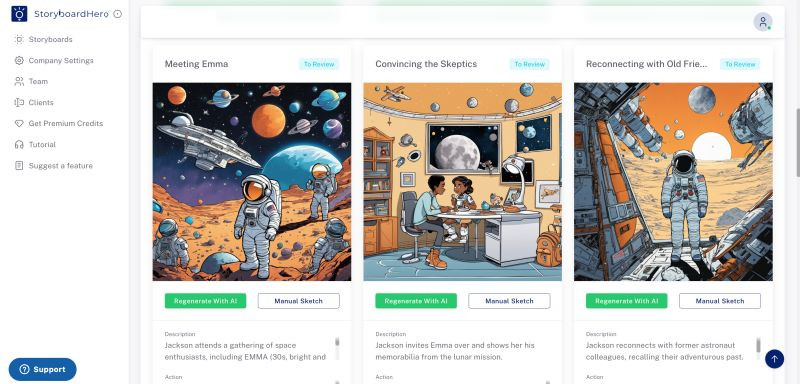
StoryboardHero supports character consistency through reference photos or text descriptions. Its documented workflow starts with a character reference, then lets you place that character in scenes and adjust poses, expressions and details.
Character-reference support is a reason to consider it for a recurring cast. Test a short sequence with the angles and outfit changes your project needs before choosing a tool; documented support alone does not establish which generator will give you the best results.
3. Krock.io
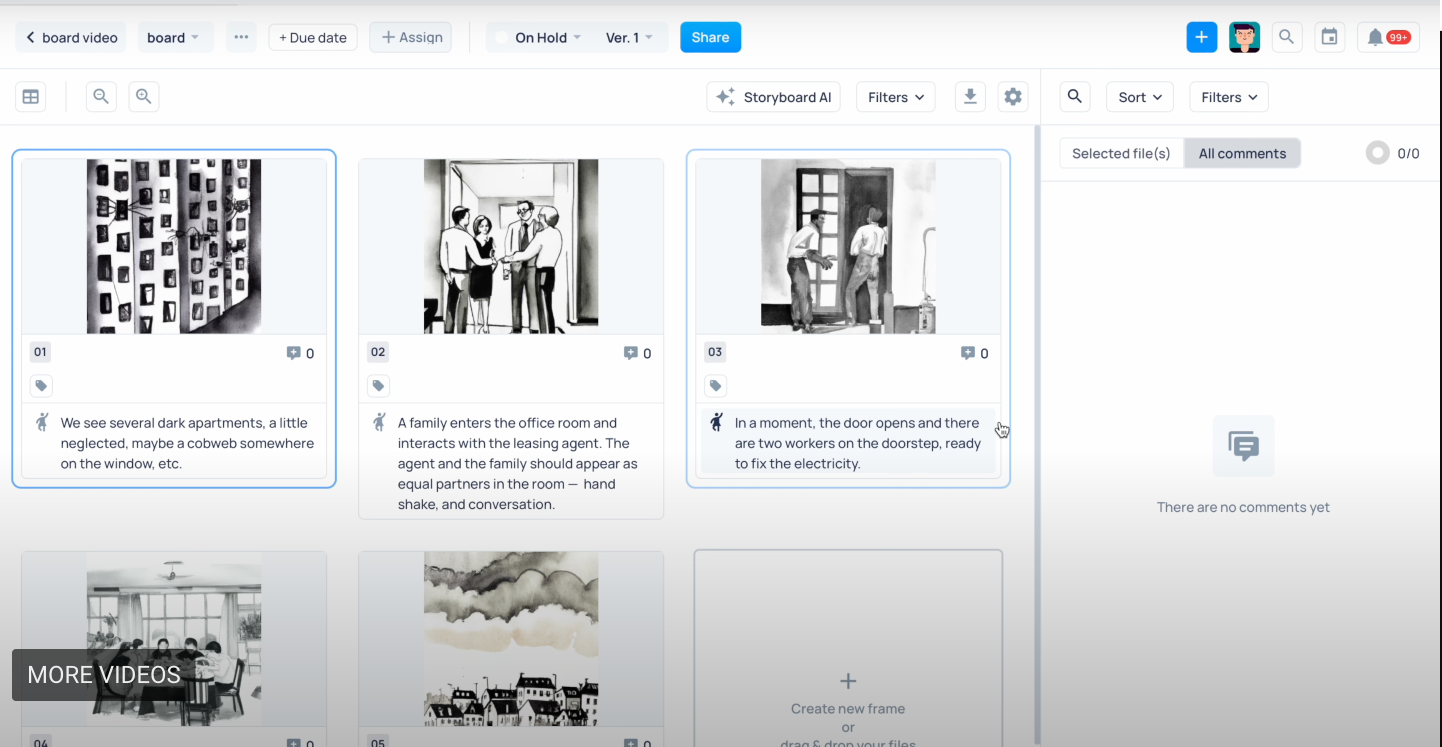
Krock.io's Storyboard AI generates storyboard images from text and documents a CSV-based workflow. You can choose an image style, export boards as PDF or CSV, and collect comments on individual frames.
Krock also has an animatic tool for arranging storyboard frames with audio and subtitles. Consider it if you want AI storyboarding alongside media review and project management. Check the reference controls you need for your cast during a trial rather than assuming every storyboard generator handles continuity in the same way.
4. Elai.io
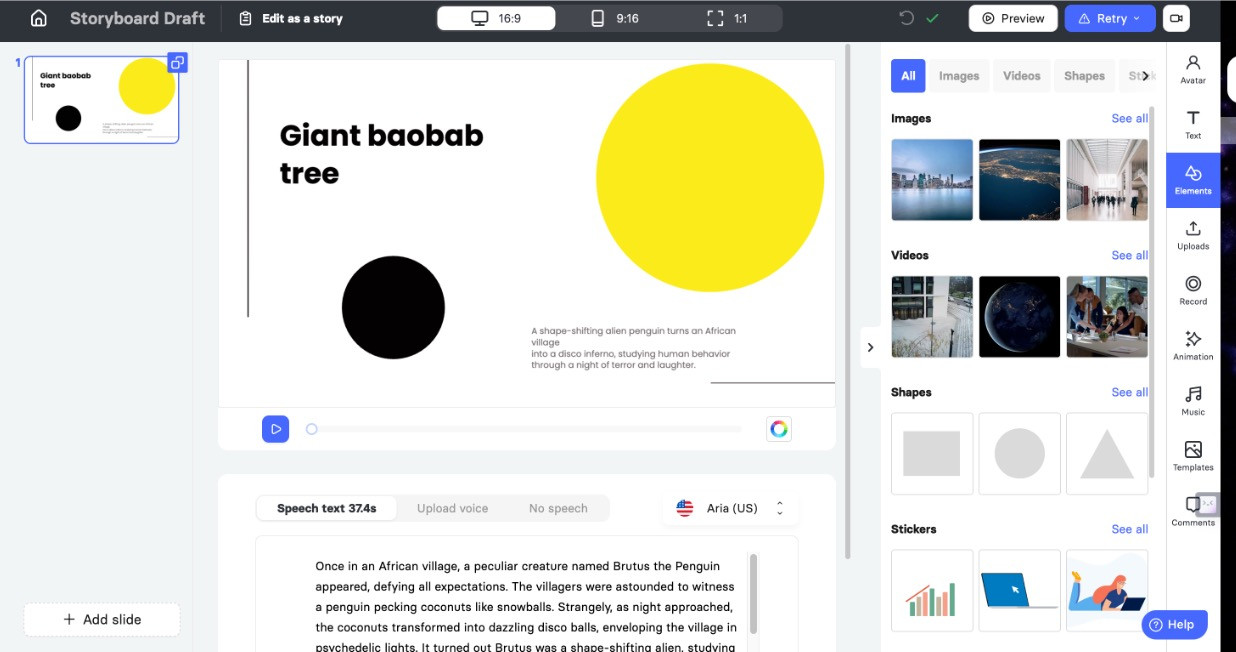
Elai.io focuses on AI video creation for learning and development. Its AI Storyboard workflow helps with scripts and course outlines, while the platform's avatars, narration and translation tools support the finished video.
Consider Elai when the deliverable is a narrated training or explainer video. If you need a sequence of illustrated shots for a film or commercial, compare that workflow with the storyboard-focused tools in this list.
5. Storyboarder.ai
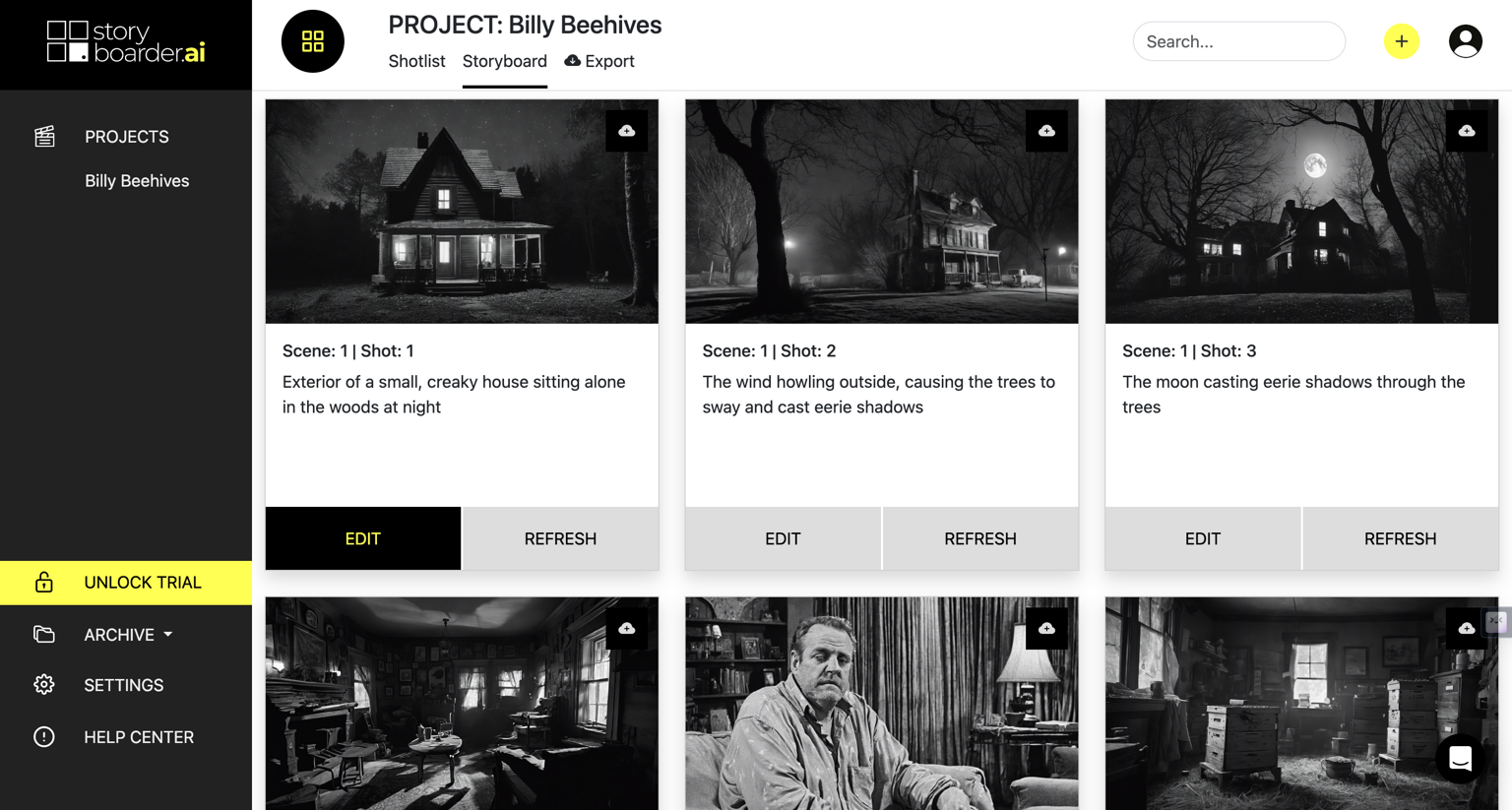
Storyboarder.ai accepts scripts in PDF, FDX, Fountain, Word and plain text, or you can start with an idea. Its workflow includes scene breakdowns, shot lists, storyboards and MP4 animatics with audio.
Its Character Editor lets you describe a character or upload an image reference for reuse across shots. It also documents scene-specific clothing changes and continuity edits. Those are relevant controls for projects with a recurring cast; try them on your own sequence before comparing output quality.
6. LTX Studio
LTX Studio connects storyboarding with generated video, timeline editing and sound design. You can start from a script or concept, then develop scenes and shots within the same platform.
Its Elements workflow uses characters, locations and objects to maintain continuity across a project, alongside visual references and camera controls. Consider it when you want to carry a storyboard into AI-generated footage and edit the resulting sequence.
How to choose an AI storyboard generator
Start with a short sequence from your brief. Include the same character in a wide shot and a close-up, a change of camera angle, and a recurring location. Check how you select and reuse references, how much correction each frame needs, and whether you can share the board in the format your client expects.
For an agency workflow, test feedback and revisions as well as image generation. A board that communicates the shot clearly and keeps review manageable is more useful than a striking frame that takes repeated work to fit the rest of the sequence.
Sharper preproduction, less back-and-forth
Workflow tips and Boords product updates for video and brand teams, twice a week.
More from the blog

Get every video signed off before production starts
Create scripts, storyboards, and animatics with your team.
Collect client feedback, keep every version on record, and go into production knowing exactly what was approved.